
The process of rebuilding your website in a new CMS or converting from templates to a theme in HubSpot. Follow our structured migration approach to launch your new website with confidence.
What are the three stages of website migration?
Website Migration Basics
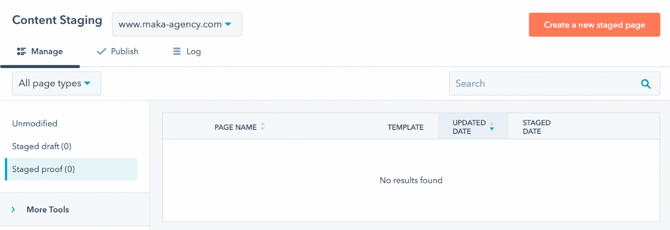
The POWER theme migration process follows three clear stages:
Stage 1: Stage Pages Create a staged draft for each page on your existing website using a template from the theme.
Stage 2: Proof and Approve Publish your drafts to Content Staging for internal review and approval.
Stage 3: Publish and GO LIVE Publish your staged pages, update system pages, swap blog templates, and launch your website.
⚠️ Important: This staged approach allows you to build and review your entire site before making any live changes.
Why migrate to HubSpot with POWER theme?
You shouldn't have to spend your entire marketing budget to create a custom website or make compromises on performance.
POWER theme advantages:
- Create professionally designed websites in minutes, not hours
- No need for expensive custom development
- No performance compromises
- Pre-built modules and layouts
- Drag-and-drop customization
- Built-in best practices
Time and cost savings:
- Traditional custom website: Weeks or months, $10,000+
- POWER theme website: Hours or days, theme cost only
- Ongoing maintenance: Minimal vs. extensive developer time
Will using the theme impact my live website?
No, the theme settings only apply to pages created using theme templates.
What is included in the Getting Started guide?
Checklist
With our Getting Started guide, guide, you'll have all the information you need to set your theme and website up quickly and easily.
Guide features:
- Step-by-step instructions
- Clear action items for each step
- Links to relevant documentation
- Configuration checklists
- Best practices and tips
Work at your own pace:
- No time pressure
- Pause and resume anytime
- Reference documentation as needed
- Follow logical sequence
- Test as you build
What you'll know:
- Exactly what to do for each step
- Where to go in HubSpot
- How to configure each setting
- When to move to next step
- What to test before going live
⚠️ If your website and/or blog are currently live with another theme or template in HubSpot, we recommend waiting to complete the Blog and System Page setup until you are ready to go live. ⚠️
CONTENT RESOURCES
Helpful articles from HubSpot's Knowledge Base to support your website migration to CMS Hub!
1. Redesign and relaunch your site with Content Staging
2. Import your website structure into HubSpot
3. Import your content into HubSpot (blogs)
4. Import your WordPress blog into HubSpot with WordPress Connect