Theme Settings
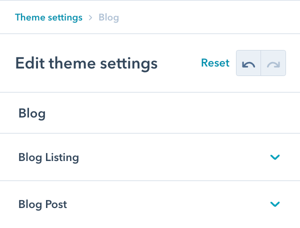
There are 2 sections in Theme Settings for Blog: Blog Listing and Blog Post
What are Blog Settings?
Blog Settings control the appearance and functionality of your blog listing pages and individual blog posts. These settings help you:
- Configure blog listing layout and columns
- Control pagination style (Load More vs. Standard)
- Show or hide post metadata (author, date, reading time)
- Manage filter bar appearance
- Customize blog post width
- Enable/disable navigation and related posts
What Blog Listing settings are available?
Blog → Blog Listing
Modify the default settings for the Blog Listing Template in POWER theme.
Checkbox options for:
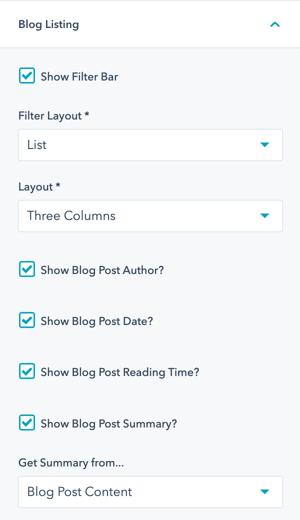
- Show Filter Bar: Shows/Hides the bar containing the blog categories/tags
- Show Blog Post Author?: Displays the author name in the blog post previews, if activated.
- Show Blog Post Date?: Display the date in the blog post preview, if activated.
- Show Blog Post Reading Time?: Display the estimated (internally calculated) reading time of the blog post, depending on the length of the blog post content.
- Show Blog Post Summary?: Displays the excerpt text on the listing page.
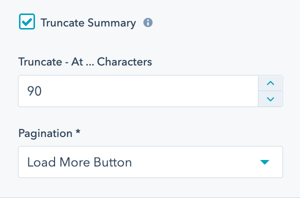
- Truncate Summary: limits the length of the excerpt text to a given number.
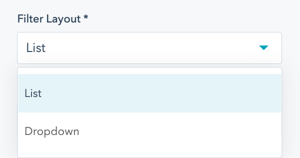
Blog → Blog Listing → Filter Layout
Filter Options:
-
List
-
Dropdown
Blog → Blog Listing → Layout
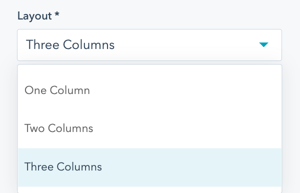
Layout Options:
- Filter Layout
- Column Layout
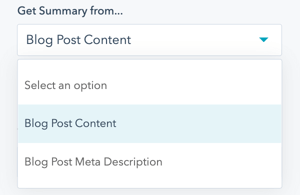
- Summary Source
Blog → Blog Listing → Get Summary From
The summary displayed can come from the beginning of the blog post content (above the read more separator) or from the blog post meta description.
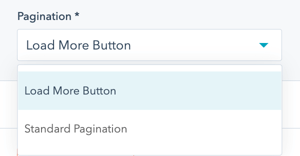
Blog → Blog Listing → Pagination
The Load More Button allows for a set number of posts to display followed by a button for the user to click to see additional posts. Standard Pagination creates a series of pages the user can click through to see additional posts.
The standard pagination method is with arrows compared to the more modern way of loading additional blog posts by clicking on a “load more” button.
What Blog Post settings are available?
Blog → Blog Post
Configure settings for individual blog post templates.
Available settings:
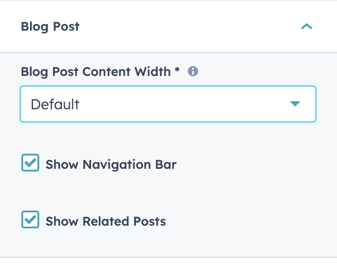
Content Width:
- Default (795px)
- Website Content Width - The layout content width selected in the main theme settings
- Custom width - Allows you to specify a custom value in pixels.
Navigation:
- Show Navigation Bar: Shows/Hides the navigation bar that adds links to the blog overview/listing and the previous and next posts.
- Show Related Posts: Shows/Hides the section suggesting related blog posts. The section is at the end of the blog post.