
Adding a Theme Section to Your Page
This guide explains how to add a Theme Section to your page in just a few steps.
Step-by-Step Instructions
1. Open the Section Menu
In the page editor, click the “+” icon in the top-left corner. Then hover over the page until the “Add Section” button appears and click it.
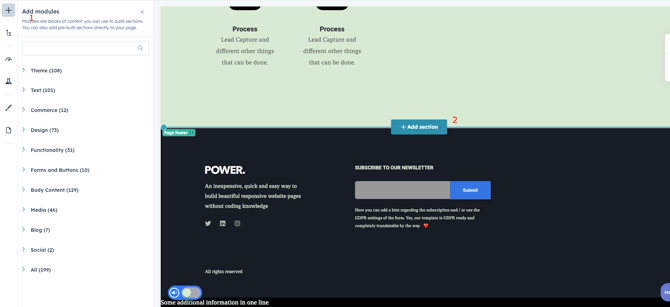
2. Add a Section
A modal window will appear showing different options such as Saved Sections, Blank Layouts, and All Sections.
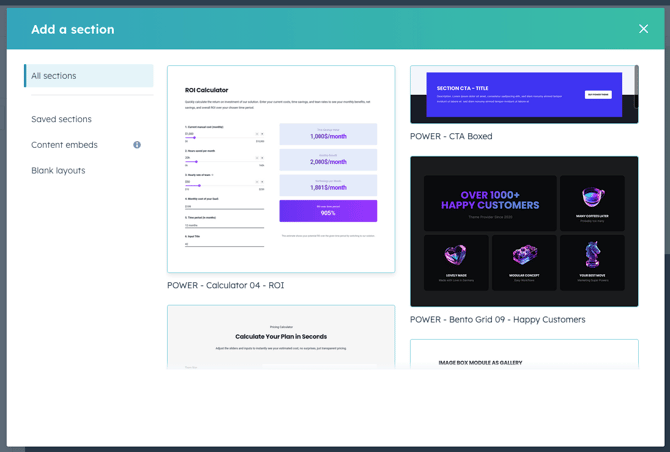
3. Select a Theme Section
Navigate to the All Sections tab to view and select from all the ready-to-use theme sections included in the theme.
Conclusion
Adding a Theme Section is a quick and simple way to enhance the layout and functionality of your page.