
Understanding the Structure of Our Modules
All of our modules are built using a consistent structure. Once you understand this pattern, you’ll be able to work with any module more efficiently—without needing detailed instructions each time.
The structure is centered around three main parts: Content → Layout → Style.
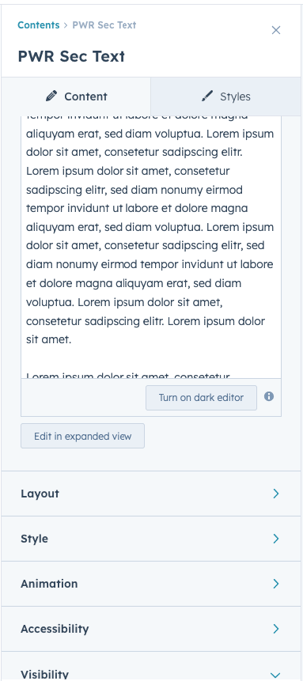
1. Content (What you show)
The Content section is where you define the actual information inside the module.
Most modules follow a shared pattern and typically include:
- Intro Title (small label or eyebrow text)
- Title (main heading)
- Description (supporting text)
Depending on the module, you may also find:
- Buttons or CTAs
- Images, icons, or media
- Repeater fields (cards, items, lists)
This consistency helps you quickly understand what to fill in, no matter which module you’re using.
2. Layout (How it’s structured)
The Layout section controls how your content is arranged and behaves on the page.
Key layout features include:
- Layout variations (different predefined structures depending on the module)
- Flexibility options (e.g., alignment, order, responsive behavior)
- Boxed vs full-width sections
- Padding and margin controls (spacing inside and outside the module)
This is where you shape the structure and spacing of your module to fit the overall page design.
3. Style (How it looks)
The Style section is responsible for the visual appearance of the module.
There are both shared styling options and module-specific styles.
Common shared styling options include:
- Color schemes (predefined or custom)
- Title styles and sizes
- Typography adjustments
- Background options:
- Transparent
- Solid color
- Image
- Video
- Gradient
- Shape dividers (for more dynamic section transitions)
In addition, each module may include its own unique style controls depending on its design and purpose.
Additional Settings
Some modules also include advanced options such as:
- Animations
- Translations
- Accessibility settings
These enhance functionality, but they are secondary to the core structure.
Why This Matters
Because all modules follow the same structure:
- You can work faster and more confidently
- You don’t need to relearn each module from scratch
- Your designs stay consistent across the entire website
Summary
Every module is built with the same foundation:
- Content → define what you show
- Layout → control structure and spacing
- Style → customize the visual design
Once you understand this system, customizing any module becomes straightforward and intuitive.