
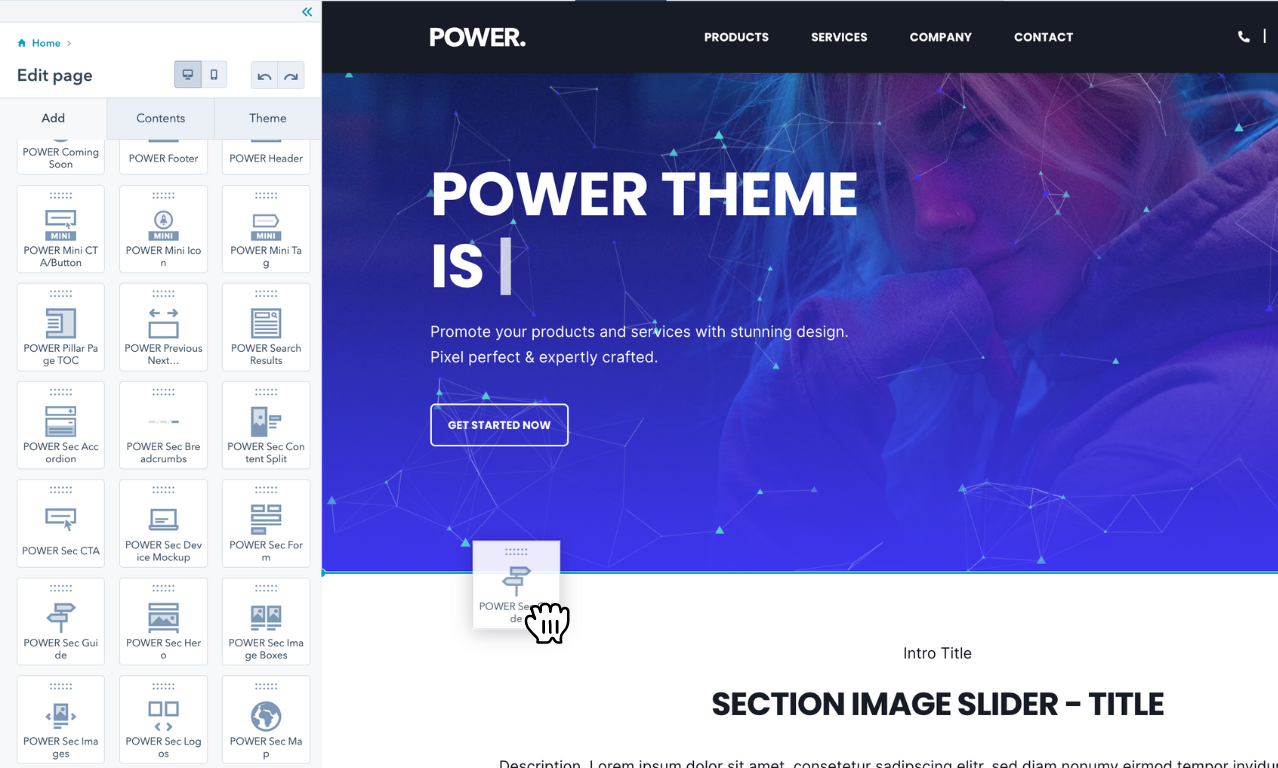
Focus on creating amazing content, not managing your content creation process. With CMS Hub and POWER theme you'll have a flexible content creation experience that allows you to easily create pages through a drag-and-drop editing experience.
Is it possible to customize POWER theme?
Yes, POWER theme offers customization options.
Many customizations can be made directly in the theme settings without code, and custom development is easy with a child theme.
Customization without code:
- Colors, fonts, and spacing in theme settings
- Header and footer configurations
- Module settings and layouts
- Content arrangement with drag-and-drop
- Image and media placement
- Button styles and CTAs
Custom development with child theme:
- Advanced styling with custom CSS
- Custom module development
- Integration with third-party tools
- Specialized functionality
There are many Content Management Systems [CMS] options out there and each of them works differently.
The HubSpot CMS – especially with the addition of themes – makes it easy to build websites.
However, working with a theme does not mean you should not understand some essentials about building a website, web design, creating pages, and using images and videos. We've compiled these resources to help you along the way!
How can the HubSpot Community help?
In addition to HubSpot Academy and the HubSpot Knowledge Base, HubSpot also has an amazing community with discussions, ideas, and events!
What you'll find:
- Discussions about common challenges
- Solutions to technical questions
- Best practices from experienced users
- Product updates and announcements
- Networking opportunities
- Community events and webinars
How to use the community:
- Search for common questions before posting
- Post your own questions for community help
- Share your solutions and experiences
- Connect with other HubSpot users
- Learn from real-world implementations
Ideas section: Add ideas you'd like HubSpot to consider for improvement, for any of the Hubs or tools in HubSpot.
Benefits:
- Influence product development
- Vote on features you want
- See what others are requesting
- Track idea implementation
The community is packed with helpful people using the very same HubSpot products and services that you do.
You'll find our team in the community helping to make CMS Hub better, answering questions, and sharing ideas: follow us at mzweng, erg1000, TomM2 and Eibraimi6.
HubSpot Academy
What HubSpot Academy courses should I take?
HubSpot offers many insightful academy courses, ranging from inbound marketing to graphic design, all for free.
Recommended courses for CMS users:
HubSpot CMS for Marketers (Highly Recommended)
- Get a kickstart into the HubSpot CMS
- Learn platform fundamentals
- Understand content creation workflows
- Master drag-and-drop editing
- Earn a certification when you're done
Course benefits:
- Comprehensive platform overview
- Step-by-step guidance
- Real-world examples
- Hands-on exercises
- Professional certification
If you would like to dive deeper and learn how to optimize your website using the HubSpot CMS, we recommend the Website Optimization Course.